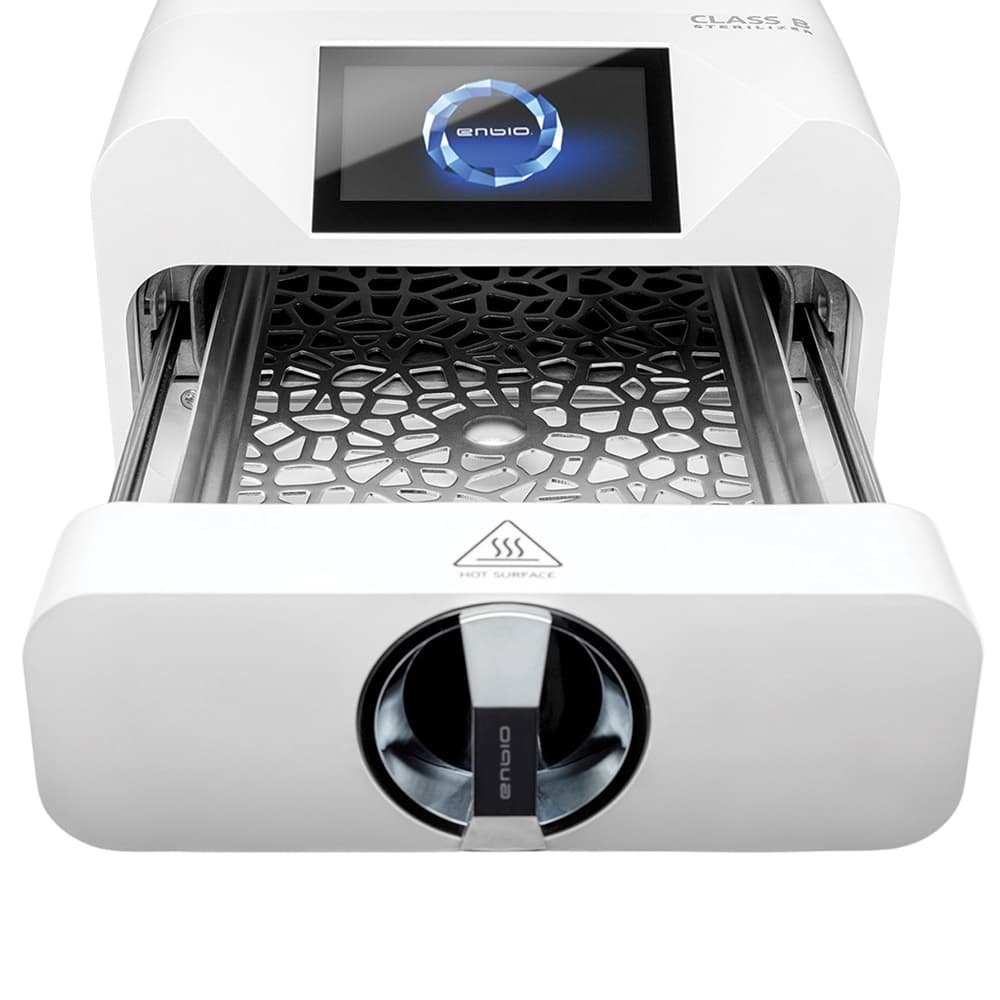
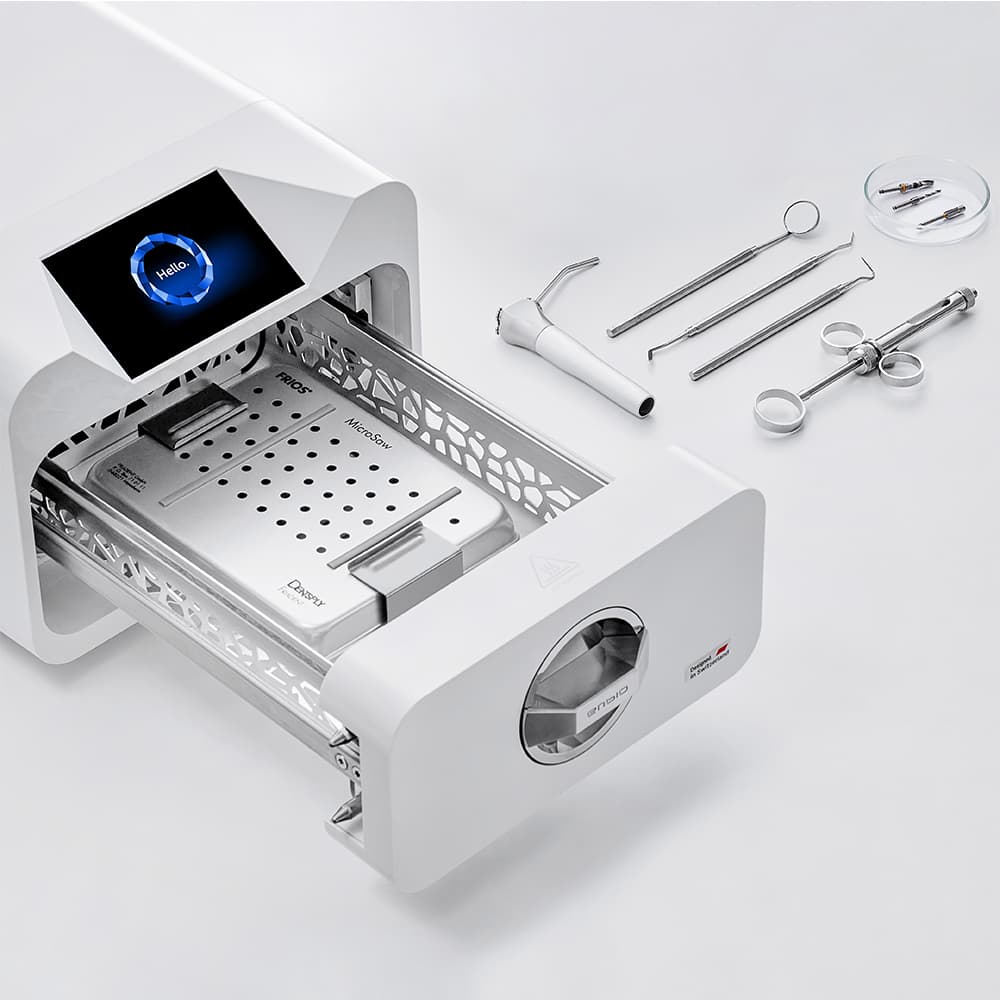
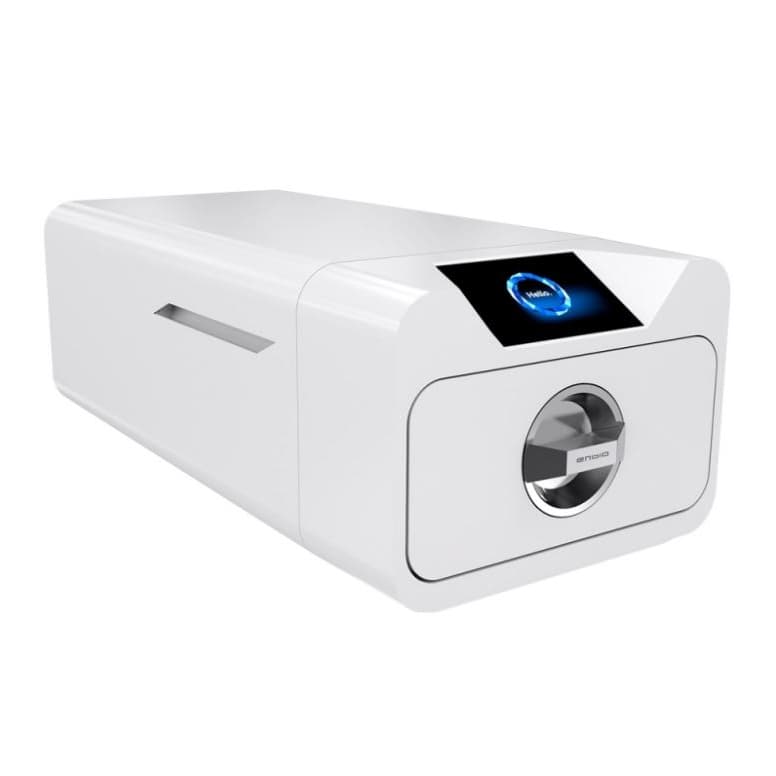
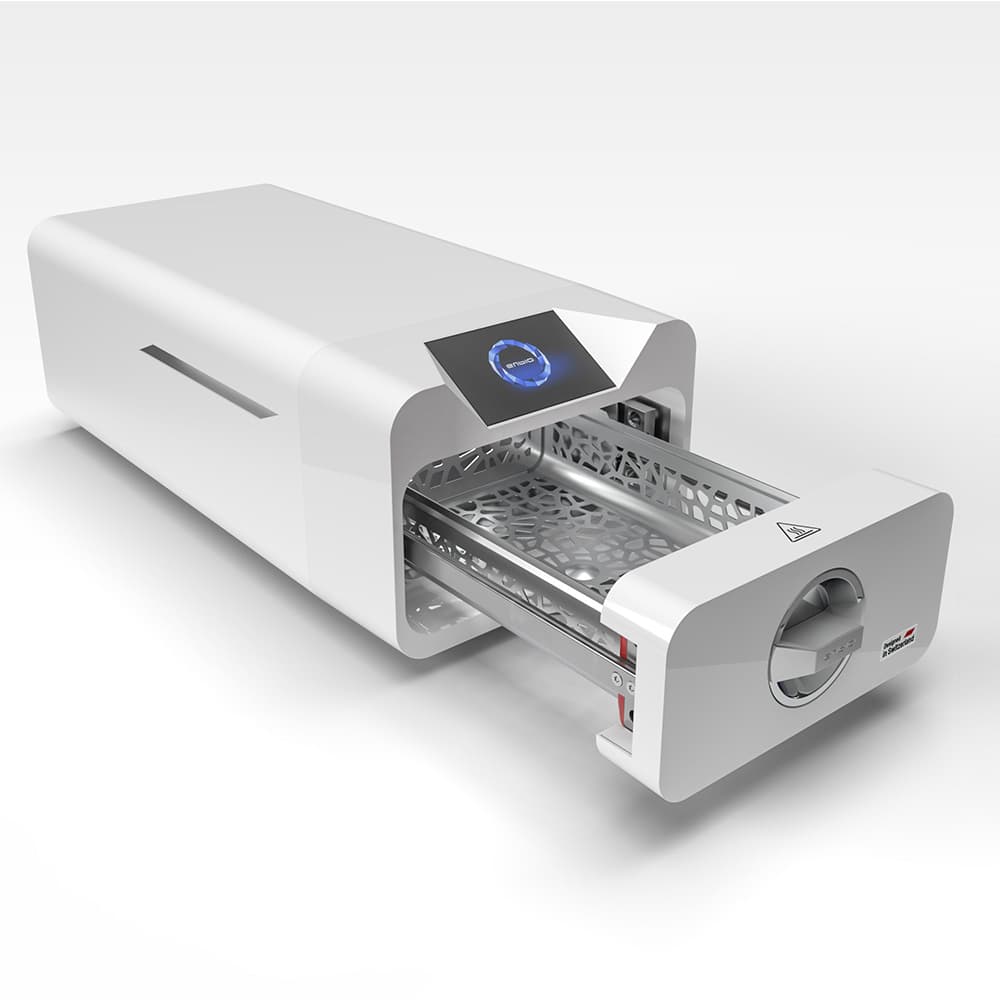
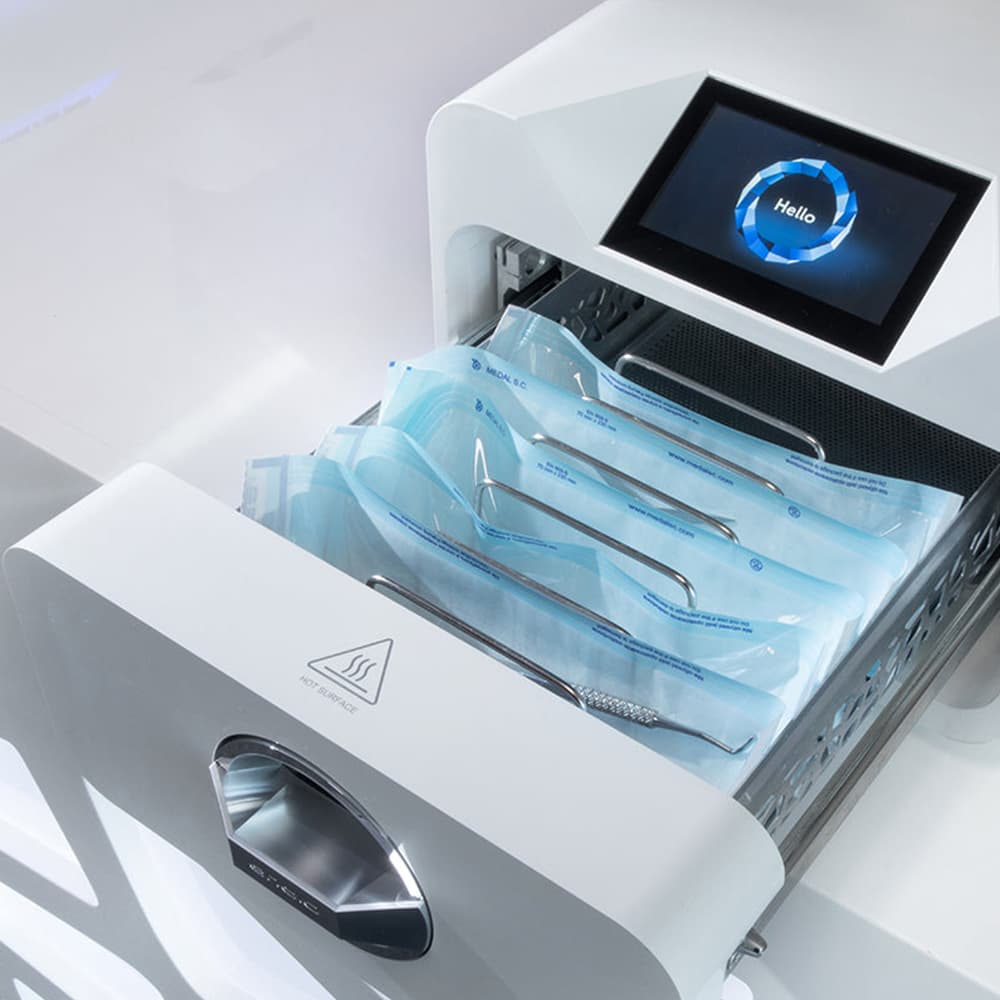
If you're running a dental clinic, medical practice, or laboratory and need dental tools and equipment, the Enbio Pro 5.3L Class B Autoclave handles your sterilization needs efficiently. This enbio sterilizer works with steam pressure to meet Class B standards, which means it sterilizes both wrapped and unwrapped instruments in the same batch. Hollow items, porous materials, and regular tools all go through in one cycle.
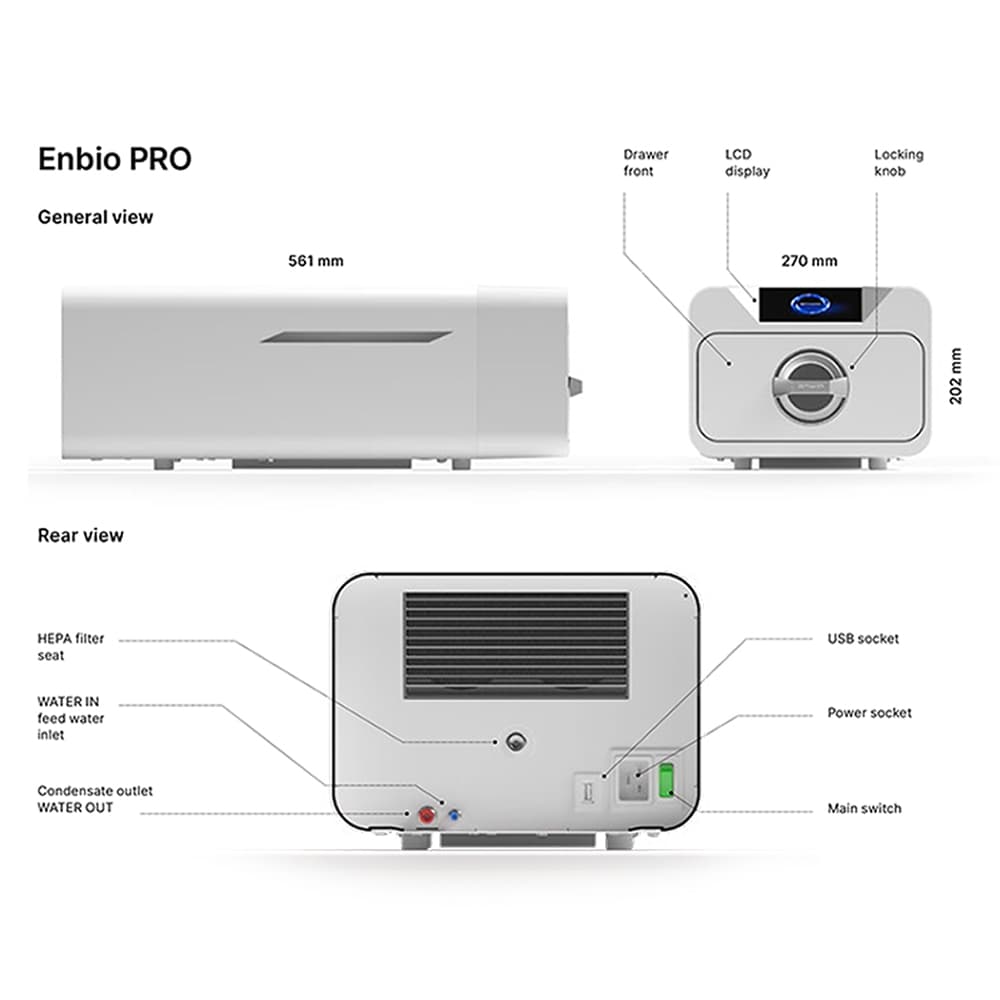
The chamber is 5.3 liters. Internally, it measures 290 by 190 by 80 millimeters. On the outside, the unit takes up 270 by 200 by 560 millimeters of space: compact enough for most practices with limited room. You can fit up to 16 wrapped pouches at a time, and the whole thing weighs just 20 kilograms when empty.
Pressure-wise, it runs at 2.1 bar normally, with a maximum of 2.3 bar. Temperature tops out at 138 degrees Celsius, which is standard for this class of sterilizer. You'll need distilled water to run it, and the water conductivity should stay below 15 microsiemens per centimeter to prevent mineral damage.
Power requirements are straightforward: 220 to 240 volts, 50 to 60 hertz. It uses 3.25 kilowatts installed, with a maximum draw of 15 amperes. The touchscreen gives you easy control over your programs. Every cycle gets recorded automatically to a USB drive, so you've got solid documentation without any extra work. The enbio sterilizer has three main cycle times: 9 minutes for quick loads, 18 minutes for standard wrapped items, and 31 minutes when you need extra time for dense or porous materials.
Product Uses
- Sterilizing essential dental surgical instruments like mirrors, scalers, and forceps
- Processing hollow instruments such as cannulas and burs
- Running wrapped instruments through in sterilization pouches
- Handling porous materials, including surgical drapes and gauze
- Sterilizing implant cassettes in organized trays
- Working with temperature-sensitive instruments on appropriate cycles
- Sterilizing rubber-handled items with the right program settings
- Batch sterilization for clinics with multiple treatment chairs
- Sterilizing surgical instruments at smaller medical practices
- Processing lab instruments for diagnostic or research work
- Sterilizing professional dental equipment components
- Managing high-volume sterilization in busy practices
How to Use
Step 1: Prepare Your Instruments
Start by cleaning everything thoroughly. Use appropriate cleaning solutions and mechanical cleaning to remove all organic material. Rinse with distilled water until clean. Dry completely with lint-free cloths. Before you load anything, look it over for damage, corrosion, or contamination. Don't sterilize anything that looks compromised.
Step 2: Load the Chamber
Put instruments into approved sterilization pouches or cassettes: steam-compatible ones only. Keep the total weight under 0.8 kilograms. Arrange them so steam can circulate freely around everything. Don't cram items in tightly. Space matters for even sterilization.
Step 3: Add Water
Fill the water tank with distilled water. Check that the water meets conductivity specs (under 15 microsiemens per centimeter). Look at your water connection hoses; make sure there are no cracks or leaks. Verify the blue and red hoses are connected properly. Plastic plugs should be secure when you're not using the water connections. Never use tap water or filtered water. This is important for protecting the internal components.
Step 4: Close the Door Properly
Push the chamber door shut firmly. You should hear a click that tells you it's sealed. Check that the door handle aligns correctly. Make sure the seal itself looks intact and isn't twisted. If the door won't seal, don't run a cycle. A bad seal means pressure escapes and sterilization fails.
Step 5: Pick Your Program
Look at what you're sterilizing and choose the right program on the touchscreen. The 9-minute FAST cycle works well for most unwrapped solid instruments and light loads. Go with the 18-minute program for typical wrapped instruments. Pick the 31-minute option if you're dealing with dense loads, heavily wrapped items, or porous materials that need more time.
Step 6: Initiate the Cycle
Press START on the touchscreen. The unit begins heating and building pressure automatically. Watch the display to track progress. You can't interrupt the cycle once it starts, so make sure everything looks right before you begin.
Step 7: Allow for Cooling
Let the cycle finish completely. Pressure vents automatically, and the unit cools down. Give it at least 3 to 5 minutes before you open the door. You don't want to rush this part.
Step 8: Remove the Instruments
Once cooling is done, carefully open the door. Be cautious, as there's still residual heat. Take out your instruments using proper handling techniques. If they're wrapped in pouches, they're fine to handle and store. Unwrapped instruments should cool completely before you touch them to avoid burns.
Step 9: Check the Records
Plug the USB drive into a computer and pull up the sterilization data using the software that came with the unit. Review the temperature, pressure, and time logs. Make sure everything fell within normal ranges. Print or save the reports for your records and compliance documentation.
Product Features
- Handles both wrapped and unwrapped instruments in Class B sterilization
- Fast 9-minute cycle for quick turnaround
- 5.3-liter capacity with room for 16 wrapped pouches
- Three cycle lengths: 9, 18, and 31 minutes
- Quiet operation won't disturb patients or clients
- Touchscreen interface that's simple to navigate
- Automatic data logging to USB eliminates paperwork
- The HEPA filter comes pre-installed
- Compact footprint for smaller clinics
- Meets professional Class B sterilization standards
- Enbio Magic Filter included for water quality
- Pressure control and cooling happen automatically
- Low operating costs, just distilled water and periodic filter changes
- Data Viewer Software is included for reporting
- Comes with a validation report and TUV certification
- HEPA filter lasts a long time, reducing maintenance
- Capable of sterilizing temperature-sensitive instruments with correct settings
Technical Specification
| Parameter | Specification |
| Type | Class B Vacuum Autoclave |
| Load Capability | Solid, hollow, pouched, wrapped, porous items |
| Maximum Load | 0.8 kg (16 pouches max) |
| Chamber Volume | 5.3 liters |
| Internal Dimensions | 290 x 190 x 80 mm |
| External Dimensions | 270 x 200 x 560 mm |
| Weight (empty) | 20 kg |
| Working Pressure | 2.1 bar |
| Max Pressure | 2.3 bar |
| Max Temperature | 138°C |
| Electrical | 220-240V AC, 50-60Hz |
| Power (installed) | 3.25 kW |
| Maximum Current | 15 amperes |
| Protection Rating | IP20 |
| Water Conductivity | Below 15 µS/cm |
| Cycle Times | 9, 18, 31 minutes |
| Data Storage | USB flash drive |
| HEPA Filter | Pre-installed |
| Water Filter | Enbio Magic Filter |
Handling Tips
- Keep the unit on a stable, level surface that can handle heat. Give it at least 10 centimeters of clearance all around for proper air circulation.
- Always use distilled water. Store it in clean containers and keep it away from dust. Check the water quality regularly. Replace it when the conductivity gets too high.
- Inspect power cables and water hoses monthly for damage, cracks, or leaks. Replace compromised hoses immediately to prevent internal water damage or system failure.
- The touchscreen needs minimal care. Use a soft, dry, lint-free cloth to wipe it down. Don't use water or chemicals on it.
- Clean the chamber door and gasket seal once a month. A soft cloth and distilled water work fine to remove mineral deposits. Keep the gasket flexible and properly seated. Don't use harsh scrubbers or strong chemicals on the inside surfaces.
- Pay attention to filter alerts on the touchscreen. Replace the HEPA filter every 6 to 12 months, depending on how much you use the unit. The device will let you know when it's time.
- When you're not using the machine, keep it in a clean, dry, well-ventilated space. The temperature should stay between 10 and 40 degrees Celsius. Avoid extreme temperature swings, high humidity, and direct sunlight.
- Between cycles, let the unit rest for at least 15 minutes. This lets everything cool down and pressure normalize. Running it continuously without breaks shortens the lifespan and can affect results.
Product Packaging
Here's what you get in the box:
- The Enbio PRO sterilizer unit itself
- HEPA filter (already installed)
- Power cord
- Water and condensate hoses (blue and red) with plastic plugs
- Enbio Magic Filter for water purification
- USB flash drive with software pre-loaded
- User manual
- Device validation report
- TUV certificate
- Medical sterilization sticker for identification
- Warranty card
Medical Disclaimer
This device is meant for professional use only. Dentists, doctors, laboratory staff, and other trained professionals use it in clinical settings. Follow all instructions and safety protocols that come with it. Untrained people shouldn't operate this equipment.
If you use it wrong, don't maintain it properly, or ignore the guidelines, you could get inadequate sterilization, equipment failure, or injury. The device doesn't guarantee sterilization if the materials aren't steam-compatible or the parameters are wrong. You're responsible for picking the right cycle for your instruments and materials.
The manufacturer isn't liable for sterilization failures caused by user error, poor maintenance, contamination, or incompatible items. Don't try to sterilize liquids, drugs, or anything not approved for steam sterilization. Keep sterilized instruments properly handled and stored so they stay sterile. Follow all regulations and guidelines in your area regarding medical device sterilization.
Warranty and Support
The Enbio Pro comes with a 1-year manufacturer warranty coverage. The manufacturer or authorized importer provides warranty support directly, not the seller. Direct any warranty claims or repairs to the manufacturer through their official channels.
The seller can help you register service requests or file warranty claims, but they don't make decisions about repairs, replacements, or refunds. The manufacturer handles all of that based on the warranty terms included with your device.
You can only exchange the product if the original packaging is intact, unopened, and hasn't been tampered with. Once you open it and use it, everything falls under the manufacturer's warranty terms. Returns or exchanges for opened devices only happen through the official warranty process.
Certifications
The Enbio Pro includes:
- TUV Certificate confirming Class B sterilization capability
- Device Validation Report documenting performance testing
- CE Mark certification for European medical device standards
- Class B Autoclave certification for wrapped and unwrapped processing
FAQ
Q. What warranty comes with it?
A. The device includes a 1-year manufacturer's warranty that covers material and workmanship defects. The manufacturer or authorized importer handles warranty support. Submit claims through the process outlined in the warranty paperwork.
Q. Can I sterilize both wrapped and unwrapped instruments together?
A. Yes. The Class B design sterilizes wrapped and unwrapped items in the same cycle. Just load them properly so steam reaches everything.
Q: Is it normal for steam to vent during the cooling phase?
A: Yes, this is normal. A small amount of steam is released during the cooling and drying phases. Ensure the unit is placed in a well-ventilated area so the steam can disperse safely.
Q. Why can't I use tap water?
A. Tap water has minerals that build up inside the chamber and damage internal parts. Distilled water keeps everything working right and extends the life of the machine.
Q. What are the actual load limits?
A. The maximum load is 0.8 kilograms, which is about 16 wrapped pouches. Going over these limits steam circulation and compromises sterilization. Spread the load evenly.
Q. How long is the 9-minute cycle really?
A. The 9-minute FAST program takes about 9 minutes total. That includes heating, sterilization time, cooling, and drying. Actual time can vary slightly depending on initial chamber temperature and how tightly packed your load is.
Q: What types of instruments can be sterilized in this unit?
A: It is suitable for solid dental instruments, hollow surgical tools, porous materials, and wrapped items rated for steam sterilization at 138°C. Do not attempt to sterilize liquids, pharmaceuticals, or materials incompatible with high heat and moisture.
Q. Does it automatically keep records?
A. Yes. Every cycle gets recorded to the USB drive automatically. The software that comes with it lets you view, print, and save reports whenever you need them.
Q. Can temperature-sensitive instruments work?
A. Many temperature-sensitive instruments that tolerate steam can be sterilized with the right program. Always check what the instrument manufacturer says before you run them through.
Q. Is this good for dental practices?
A. Absolutely. The enbio sterilizer was built for professional dental equipment sterilization in clinics and medical practices. It reliably sterilizes dental tools and surgical instruments to Class B standards.
Q. When do I need to replace the filter?
A. Replace the HEPA filter every 6 to 12 months, depending on usage. The unit will alert you when a replacement is necessary. Keep an eye on those notifications.
Conclusion
The Enbio Pro 5.3L Class B Autoclave gives you reliable professional dental surgical equipment sterilization in a unit that doesn't take up much space. With proven Class B capability, the 9-minute FAST cycle, and built-in USB documentation, the enbio sterilizer handles both speed and compliance. It sterilizes dental surgical equipment to professional standards while keeping costs down and staying simple to use. If your practice needs dependable dental equipment online with quick cycles and automatic record-keeping, the Enbio Pro is a solid choice for getting your instruments sterilized right.